
The short answer
Check the service’s own status page first, then a site like Downdetector that collects reports from other users. If both look normal, try another device or network. If it works there, the problem is most likely on your end. Still not sure? Call us. We can tell you if other people are reporting the same problem.
When Outlook won’t load or an app won’t connect, it’s tempting to restart everything, reset your password, or call your internet provider. But when the problem is a large outage, like the one on November 12, 2026, that kept many people out of their Microsoft 365 email, none of that helps. Knowing which kind of problem you have saves time and frustration.
1. Check the service’s status page
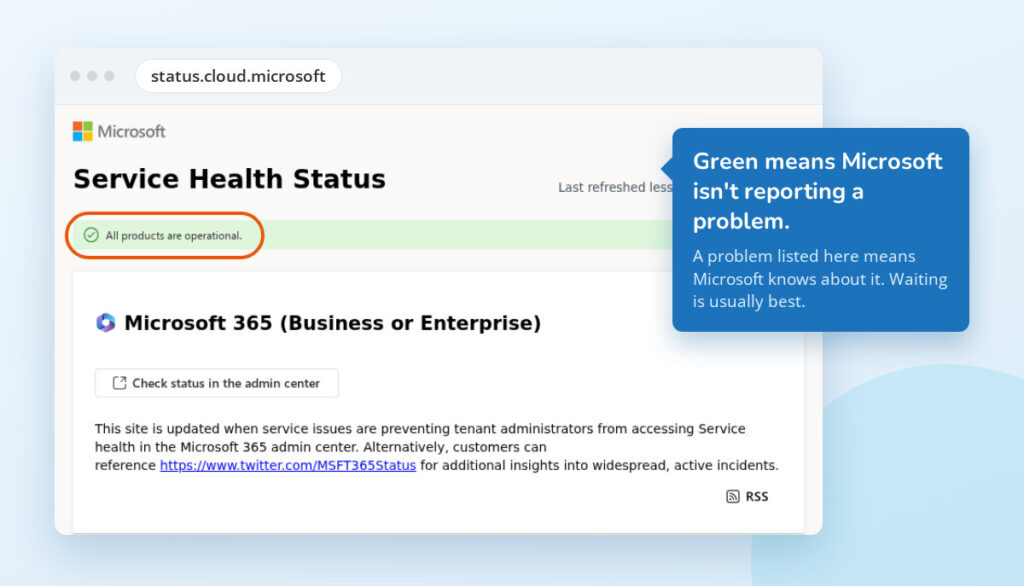
Most large services have a public page showing whether they’re having problems right now. Bookmark the ones you use:
| If you use | Check |
|---|---|
| Microsoft 365 (Outlook, Teams, OneDrive) | status.cloud.microsoft |
| Google (Gmail, Drive, Meet) | Google Workspace Status Dashboard |
| Apple (iCloud, Apple Account, App Store) | Apple System Status |
| Zoom | status.zoom.us |
| QuickBooks Online | status.quickbooks.intuit.com |
| Dropbox | status.dropbox.com |
If you manage Microsoft 365 for your business, the Service health page in the Microsoft 365 admin center shows more detail, including issues that affect your organization specifically.
Many unrelated websites and apps run behind a handful of large providers, such as Cloudflare and Amazon Web Services. When lots of different sites break at the same time, check those too.
One caution: status pages can be slow to admit there’s a problem, so a green page doesn’t always mean everything is fine.
2. See what other people are reporting
Downdetector collects problem reports from users. A sudden spike in reports for a service usually means a widespread outage, often before the official status page catches up. For a website that won’t load, Is It Down Right Now? checks whether the site is responding.
When a big outage hits, we also post about it on our Facebook page.
3. Rule out your end
- Try another website. If nothing loads, the problem is most likely your internet connection, not the service.
- Try your phone with Wi-Fi turned off. If the service works over cellular, the problem is likely your internet connection or your network.
- Try the web version. For email, sign in at outlook.office.com instead of using the Outlook app. If the web version works, the app on your computer is likely the problem.
- Ask a coworker. If it’s only you, the problem is probably your computer or account. If it’s the whole office, it’s more likely the internet connection or the service.
- Using a website or email we host for you? Visit techsupport.zone/ip to check that our servers haven’t blocked your internet address. That can happen, for example, after too many wrong password attempts. If it shows a block, call us and we’ll clear it.
- Check your internet provider. Most providers show outages for your address on their website or app.
- Restart. Restart the computer. If nothing loads at all, unplug the modem and router for 30 seconds, then plug them back in.
If it really is down
It’s usually best to wait it out. Resetting your password, removing and re-adding your account, or reinstalling the app won’t fix an outage, and can leave you with new problems once the service comes back.
Still not sure? Give us a call
Call us at 717-762-8234 (Waynesboro) or 240-347-2111 (Hagerstown). We can tell you if other customers are seeing the same problem, and if it turns out to be on your end, we’ll help you fix it. We’re always happy to help.
Last reviewed November 2026.